

Remove Duplicate Files Pro is a file organizing software tool whose aim is to create a folder structure that will act as a "database" in order to help you classify your files regardless of their type, avoid having unnecessary duplicate files, and to allow you to locate your files much quicker. Thanks to Remove Duplicate Files Pro you can easily organize your music, videos, photos, programs, etc.
The first time you execute the program it will automatically run the "configuration wizard", which will guide you to define the initial general operational parameters. Here you can configure the source location you wish to organize and the destination where the database folder structure will be stored. Here you can also tell the program if the source files must be copied or moved from its original location, as well as specify how the music folder structure must be created and how the files must be renamed (which is especially useful for organizing your MP3 files, as it can create the folder and the file names using the ID3 tag information present in the files, such as the artist name, song title, genre, etc.). Finally, you are invited to register the program.
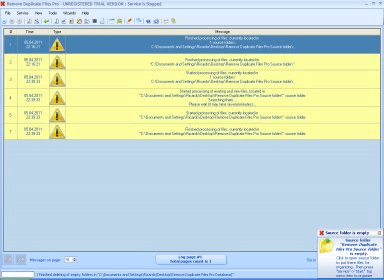
The program's main interface shows a big central panel that acts as a log viewer. All the program's related events are shown here - the exact date and time when they took place, the event type, and a description of it. Besides that, you can configure the number or entries per page to be displayed, and move through the pages thanks to the navigation buttons provided. It is also very important to note that the program works as a system service that you can start or stop. When the service is up, it automatically organizes your files while you work, and you can even hide the main program's window while the service is running.
In the main window, you can also see a toolbar which provides shortcuts to the most important functionality provided by the program, like starting, stopping, or restarting the service, hiding the main window, opening the folder that contains a specific type of files (audio, video, images, texts, programs, archives, and data files), accessing the settings window, and running the configuration wizard again. Moreover, the program has a basic built-in media player and an image viewer, which allow you to open any of the processed audio, video, or image files, respectively.
I must mention that Remove Duplicate Files Pro is a very powerful application which really helps you to keep your files organized and your disk clean and free of duplicate files.






Comments